
If you double-clicked a .sit or .sitx file and macOS refused it — or you
got “the StuffIt Expander implementation required for this operation is
missing” — the file isn’t corrupt and you haven’t done anything wrong.
StuffIt is an abandoned format, and modern macOS dropped the ability to read
it.
Here’s what works.
Open it with The Unarchiver — free, two minutes
The Unarchiver is free on the Mac App Store and
reliably extracts both .sit and .sitx.
- Install The Unarchiver from the Mac App Store (one-time, free).
- Drag your
.sit/.sitxfile onto it. - The contents extract to the same folder as the archive.
- Use the extracted files normally.
That’s the whole fix. If the file came off an old backup, an archived project, or a CD-ROM from the StuffIt era, this is almost certainly all you need.
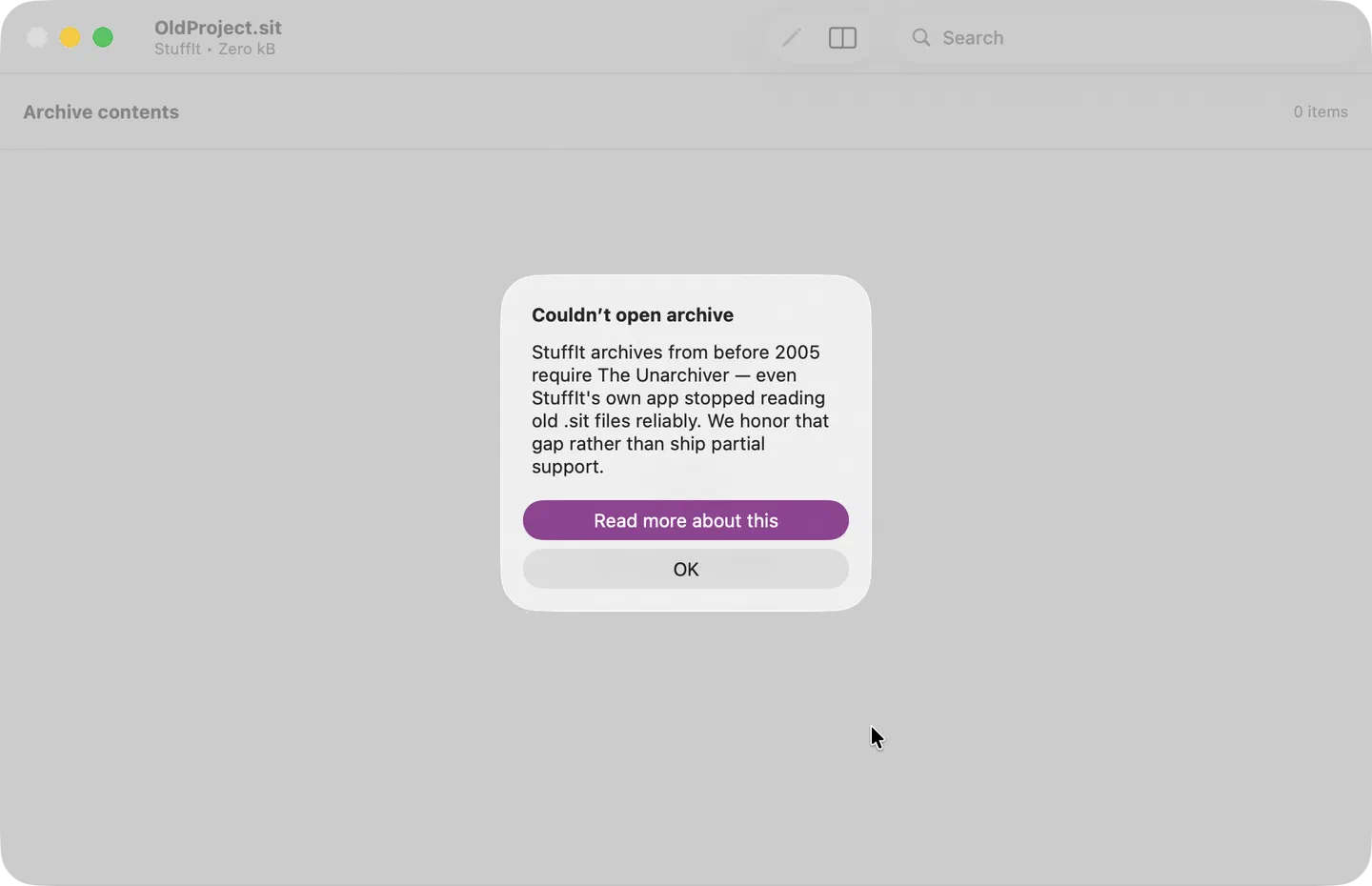
Purrchiver does not extract StuffIt archives, and this page isn’t going to
pretend otherwise — see below for
why. If you drop a .sit file on Purrchiver, it will identify it as StuffIt
and point you here rather than failing with a generic error.
If The Unarchiver can’t open it either
- Check it’s really StuffIt. A
.sitextension on a file that isn’t a StuffIt archive will fail everywhere. Runfile yourfile.sitin Terminal. - Very old
.sitfiles (pre-2005, StuffIt 5 and earlier) are the ones most likely to be partially unreadable — even StuffIt’s own later apps struggled with them. - Check for a resource fork. Files copied off classic Mac media through a non-Mac filesystem can lose the resource fork and become unrecoverable.
What about the other old Mac formats?
If you’re going through an old archive, you’ll likely hit these too. Purrchiver detects each of them and tells you what it found:
| Format | Purrchiver | What to use |
|---|---|---|
.sit / .sitx (StuffIt) | Detects only | The Unarchiver |
.hqx (BinHex) | Detects only | The Unarchiver |
.bin (MacBinary) | Detects only | The Unarchiver |
.ace (ACE) | Detects only | The Unarchiver |
.cpt (Compact Pro) | Detects only | The Unarchiver |
.zip, .rar, .7z, .tar.*, .iso, .dmg, .cpio | Extracts | Purrchiver |
See Legacy & niche formats for the full detected-but-not- extracted list, and Format support for everything Purrchiver does read and write.
Why Purrchiver doesn’t extract StuffIt
StuffIt is an abandoned format.
StuffIt was the de facto Mac archive format from the late 1980s through the early 2000s, owned by Aladdin Systems and later Smith Micro. Smith Micro stopped development around 2010 and effectively walked away from the format. The official StuffIt Expander app for macOS is unmaintained, was a 32-bit holdover that broke with macOS Catalina, and has been gone from the Mac App Store for years.
There is no maintained open-source library that handles StuffIt extraction. The only working extractor is XADMaster, which lives inside The Unarchiver. XADMaster is:
- Written in Objective-C (older codebase)
- LGPL-licensed (which adds Mac App Store relinking friction)
- Not actively maintained for new format additions
- A poor fit for a clean Swift-based archive tool
Building StuffIt support into Purrchiver would mean either:
- Vendoring XADMaster — bringing a dormant Obj-C dependency into the bottom of a Swift-native codebase, with LGPL licensing work required for Mac App Store distribution. Tradeoff doesn’t make sense for a format with a dwindling user base.
- Writing a clean-room StuffIt reader from scratch — many weeks of reverse-engineering work for a format almost nobody creates anymore.
So Purrchiver detects StuffIt archives at open time and points you at the tool that already does this job well — rather than shipping partial support that fails unpredictably on exactly the old files you’re trying to rescue.
Other StuffIt-era options
StuffIt Expander (legacy) — if you still have an older Mac running an older macOS where it runs, that’s the original reference implementation. Not an option on anything current.
Smith Micro StuffIt Deluxe — still nominally sold, but hasn’t been updated in years and may not run on modern macOS. Not recommended.
Will Purrchiver ever support StuffIt?
Probably not, for the reasons above. But — if you really need it, and there’s enough demand to justify the XADMaster integration work, that’s a real conversation. Email corey@purrchiver.app and tell me:
- How often you encounter StuffIt files
- Where they come from (old backups, archived projects, specific workflow, etc.)
- Whether a “detect-and-link-to-The-Unarchiver” prompt is enough or whether you genuinely need in-app extraction
Related
- Format support — the complete list of supported and skipped formats
- .sit, .sitx, and .hqx files on macOS — the whole old-Mac-backup picture in one place
- Legacy & niche formats — everything detected but not extracted
- Common errors — all the other “X file won’t open” cases