
Not everything needs a container. When you have one file and just want it smaller or encrypted, Purrchiver gives you single-stream verbs that skip the archive entirely — and the inverse to undo them.
| Verb | What it does | Output |
|---|---|---|
| Compress File | Compresses a single file to a stream format. | report.csv → report.csv.gz |
| Decompress File | Reverses a single-stream file back to the original. | report.csv.gz → report.csv |
| Encrypt | Wraps the file in a passphrase-based age envelope. | report.csv → report.csv.age |
| Decrypt | Reverses an age envelope back to the original. | report.csv.age → report.csv |
These are different from Create Archive: there’s no bundling and no folder structure — one file in, one file out. (To put several files into one compressed file, you want a tar archive instead.)
Compressing a single file
Compress File writes the file to a single compression stream. The formats on offer:
- gzip (
.gz) and bzip2 (.bz2) — the universal Unix streams. Free. - xz, Zstandard (
.zst), Brotli (.br), lzip (.lz), LZ4 (.lz4), LZMA (.lzma) — the modern / specialized streams. Part of the one-time $9.99 unlock.
Creating .gz and .bz2 is free; the advanced streams are part of the unlock.
See What’s free vs. the unlock.
Encrypting a single file
Encrypt wraps the file — as-is, no compression required — in an age
envelope protected by a passphrase, producing <name>.age. age can encrypt
anything, which is why it’s Purrchiver’s single-file encryption choice. The
recipient opens it with Purrchiver or any age-compatible tool. Creating an
encrypted file is part of the one-time $9.99 unlock; Decrypt (and
opening any .age you receive) is always free. See
age encryption for the full story.
Where to find these verbs
Three entry points, same behavior:
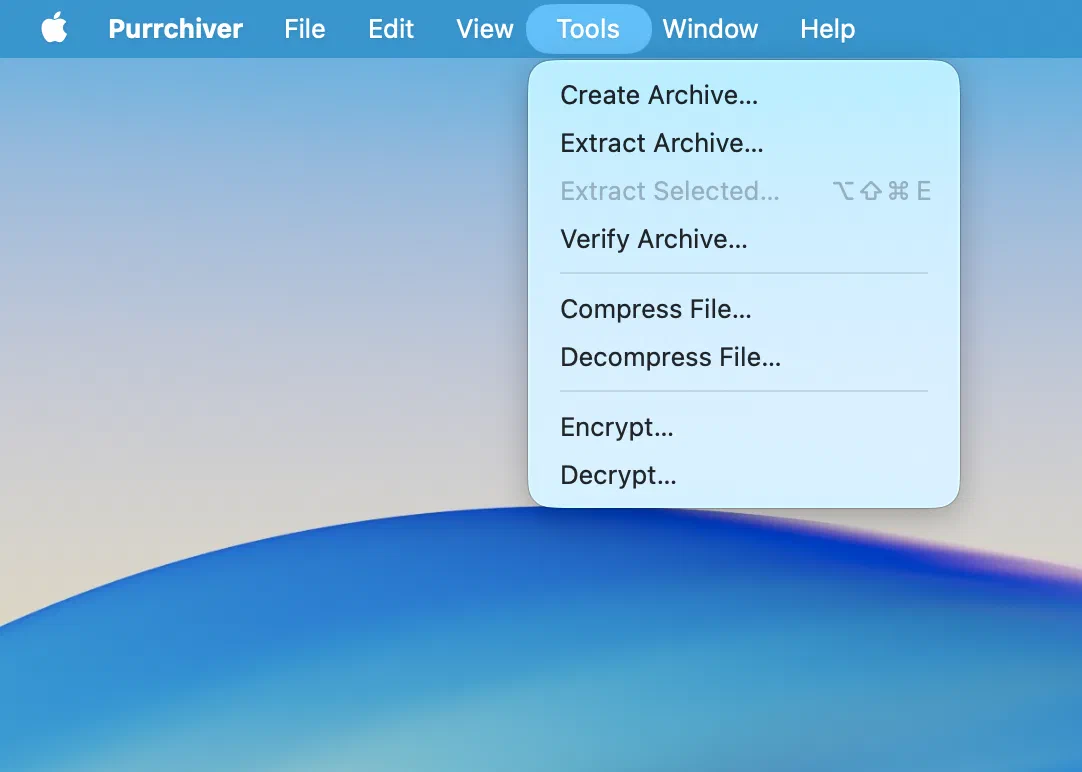
- The Tools menu — Compress File…, Decompress File…, Encrypt…, Decrypt…. Each opens a file picker, so you don’t need anything selected first.
- Finder Services — right-click a file → Services → Compress File using Purrchiver or Encrypt File using Purrchiver. See Finder integration.
- Shortcuts — the Compress File, Decompress File, Encrypt File, and Decrypt File actions, for automation. See Shortcuts & automation.
Related
- age encryption — the universal wrap behind Encrypt
- Creating a new archive — when you have more than one file
- The Tools menu — every standalone verb in one place
- Format support — which streams Purrchiver reads and writes
- What’s free vs. the unlock