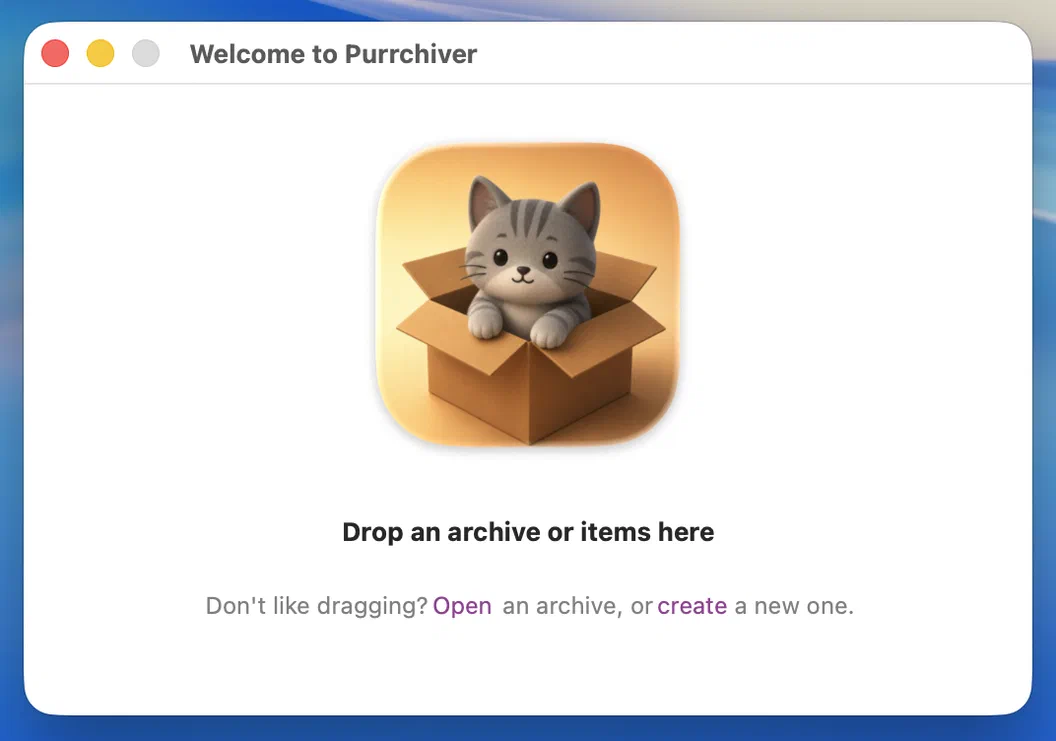
Start any way you like.
Drop files on the window, open an archive you already have, or create a new one — Purrchiver opens to a single, calm starting point instead of a wall of options.

A clean Mac archive utility.
No ads. No subscriptions. No tracking. Period.
Drop files on the window, open an archive you already have, or create a new one — Purrchiver opens to a single, calm starting point instead of a wall of options.
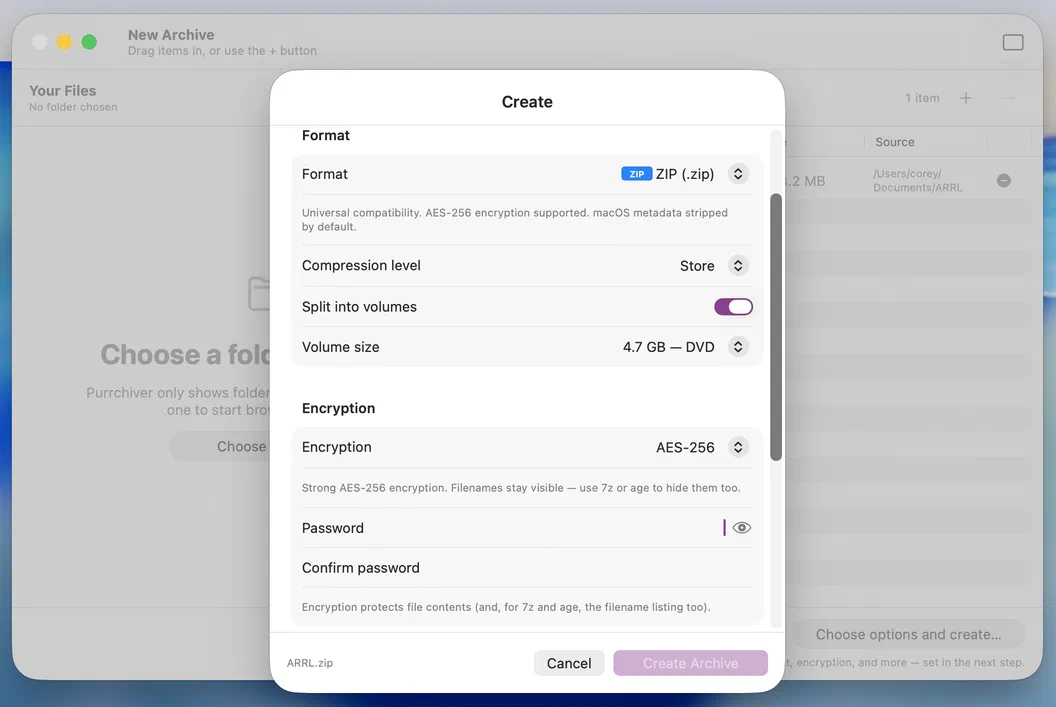
ZIP for everyone, 7z for the squeeze, tar for the server, AAR for Apple. Add AES-256, split it across volumes, strip the macOS cruft — all from one sheet with a live filename preview. Pick a format once and Purrchiver remembers it for next time.
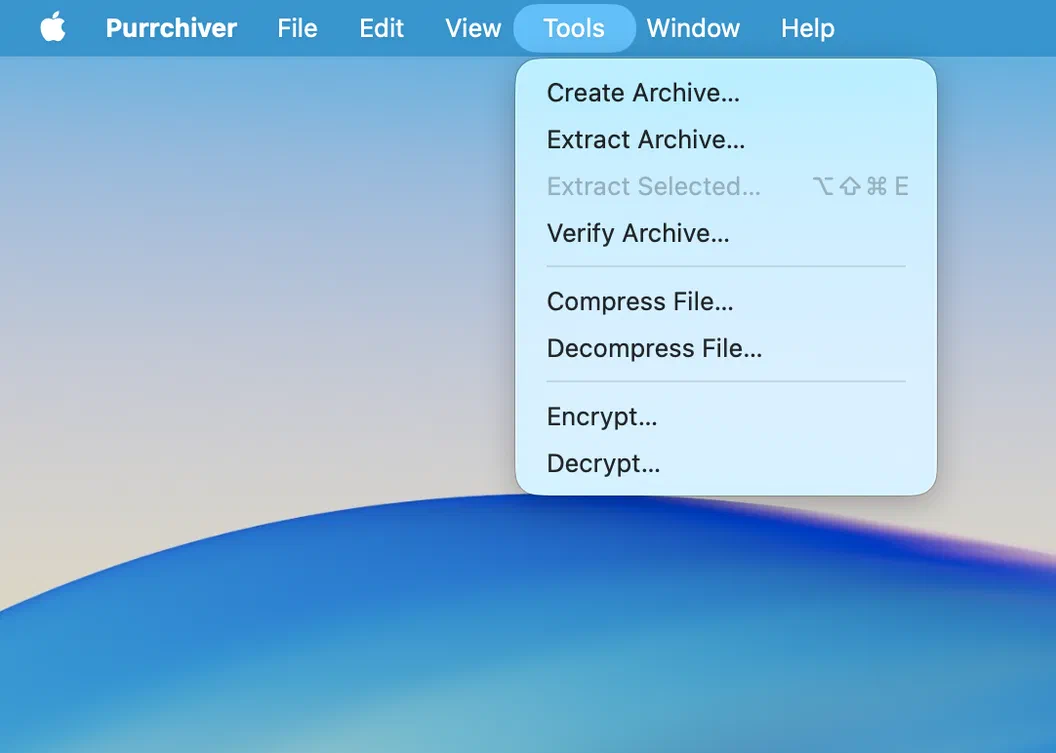
Not everything needs a container. Compress a single file straight to gzip, xz, Zstandard, or Brotli — or wrap it in an encrypted age envelope — from the Tools menu, a Finder right-click, or a Shortcut. The inverse, Decompress and Decrypt, is one step too.
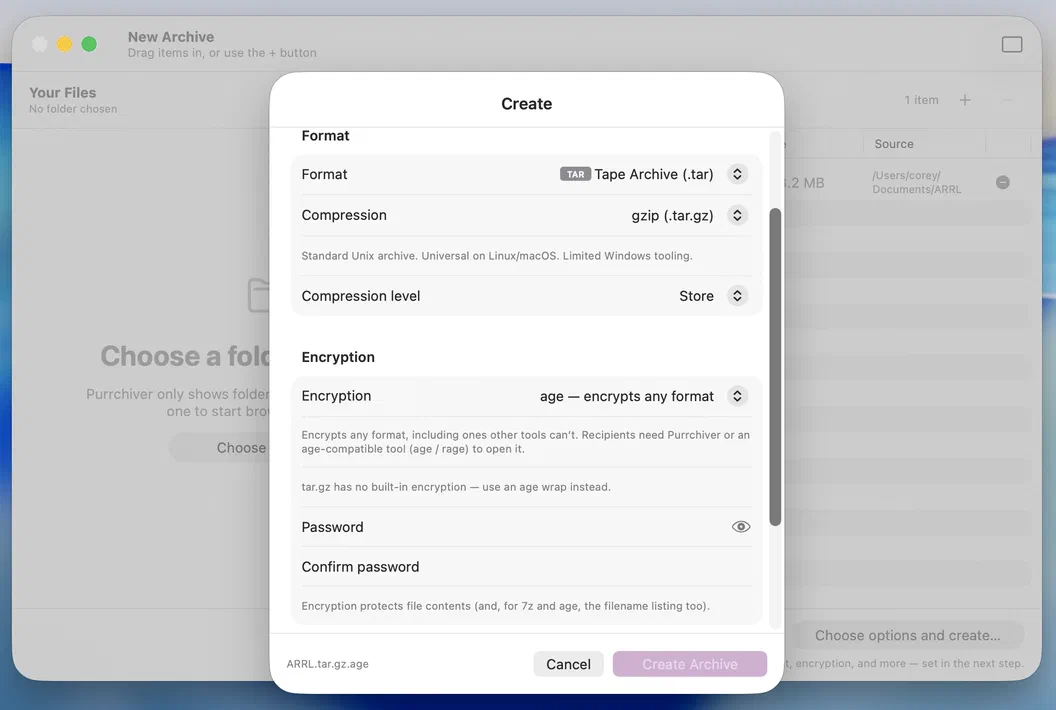
Most Mac archivers can only encrypt a ZIP. Purrchiver wraps any container — a .tar.zst, an .iso, an Apple Archive, even a lone file — in a passphrase-based age envelope. Recipients open it with Purrchiver or any age-compatible tool. No other Mac App Store archiver does this.
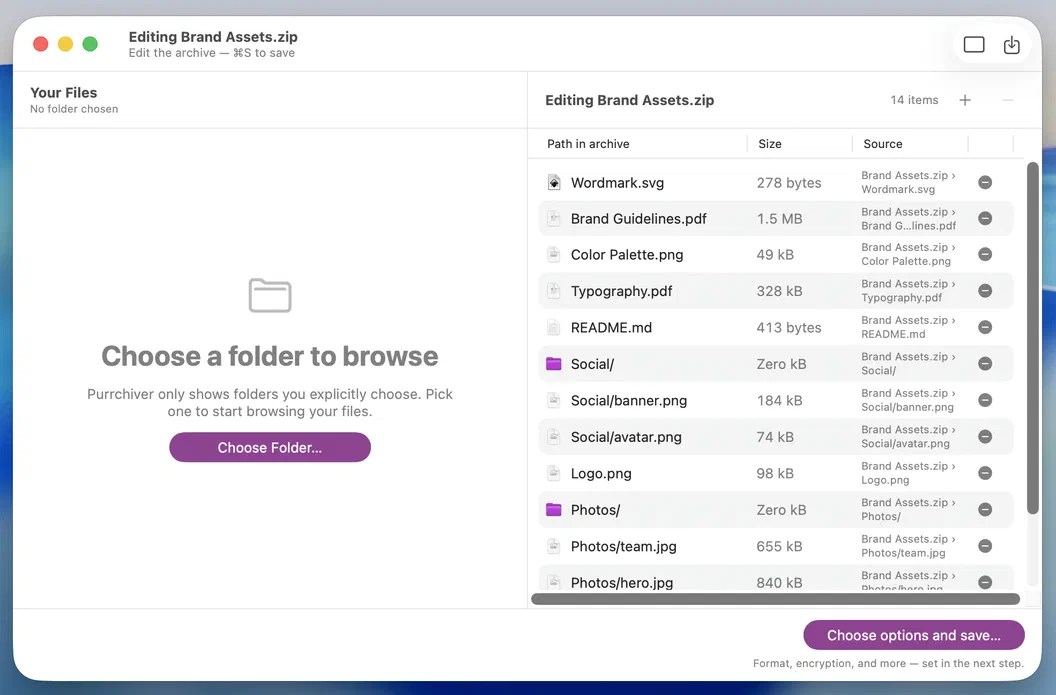
Open an archive, drag in a file, remove an entry, save. No extract-the-whole-thing-and-rezip dance — and no other Mac App Store archiver does this at any price. Editing in place is part of the one-time unlock.
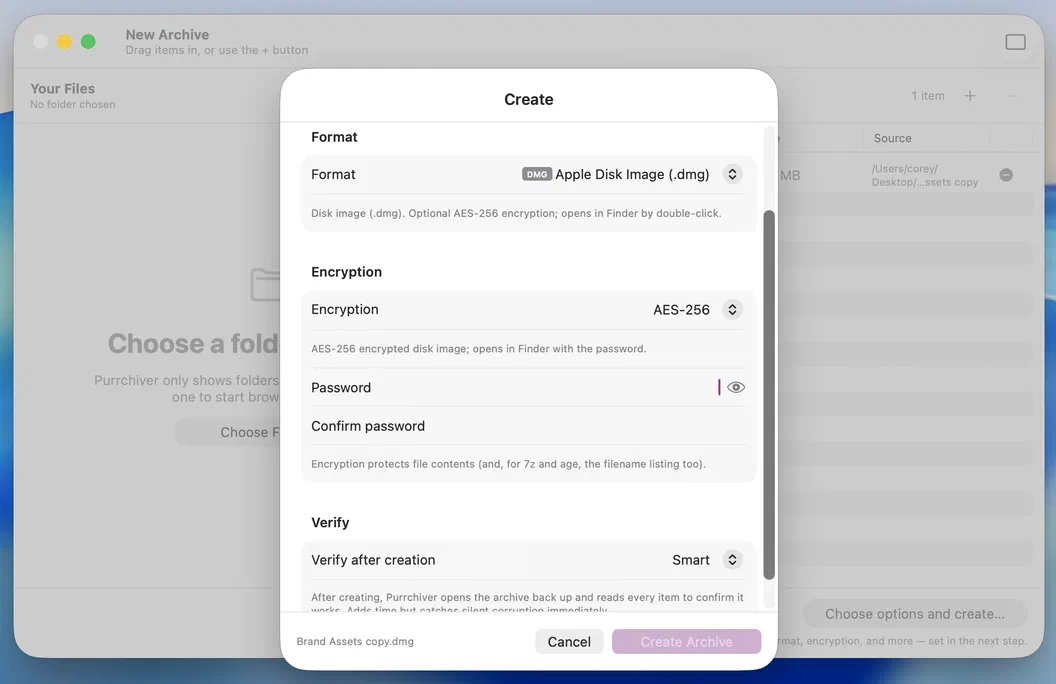
Drop a .dmg on Purrchiver and it lists the contents like any archive — pull out one file without mounting and ejecting a volume. Going the other way, create a plain or AES-256-encrypted disk image, built the sandbox-safe way through Apple's own hdiutil.
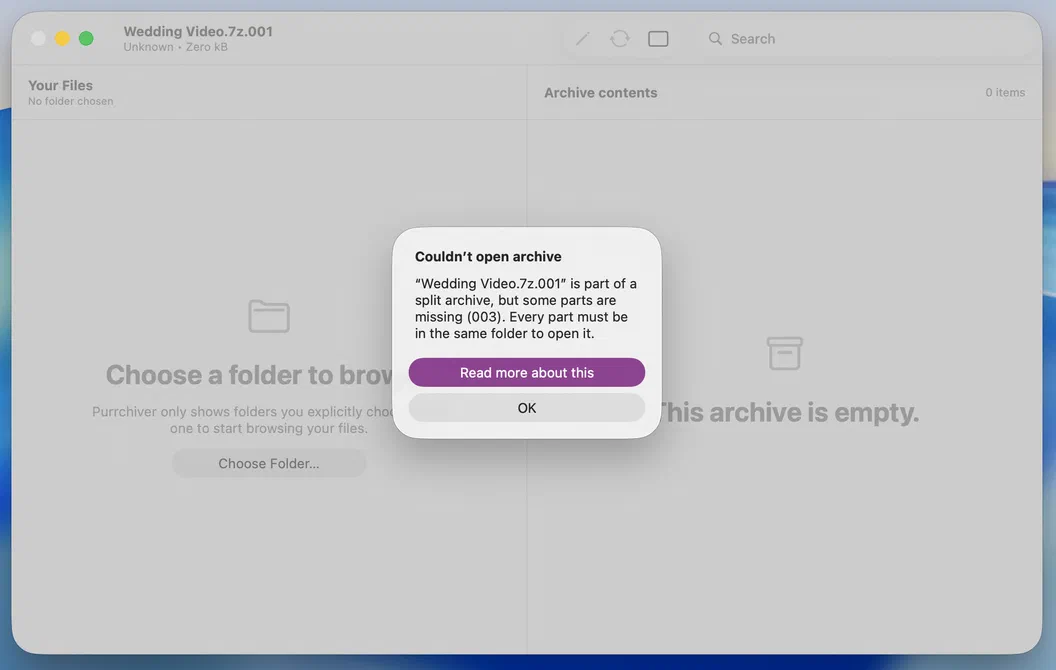
Point Purrchiver at any one part — .part01.rar, .r00, .7z.001, .z01 — and it finds the rest, sorts them, and opens the whole set as one archive. And when a part is missing, it names the exact volume that's gone (here, 003) instead of a cryptic "failed" — so you know precisely what to track down.
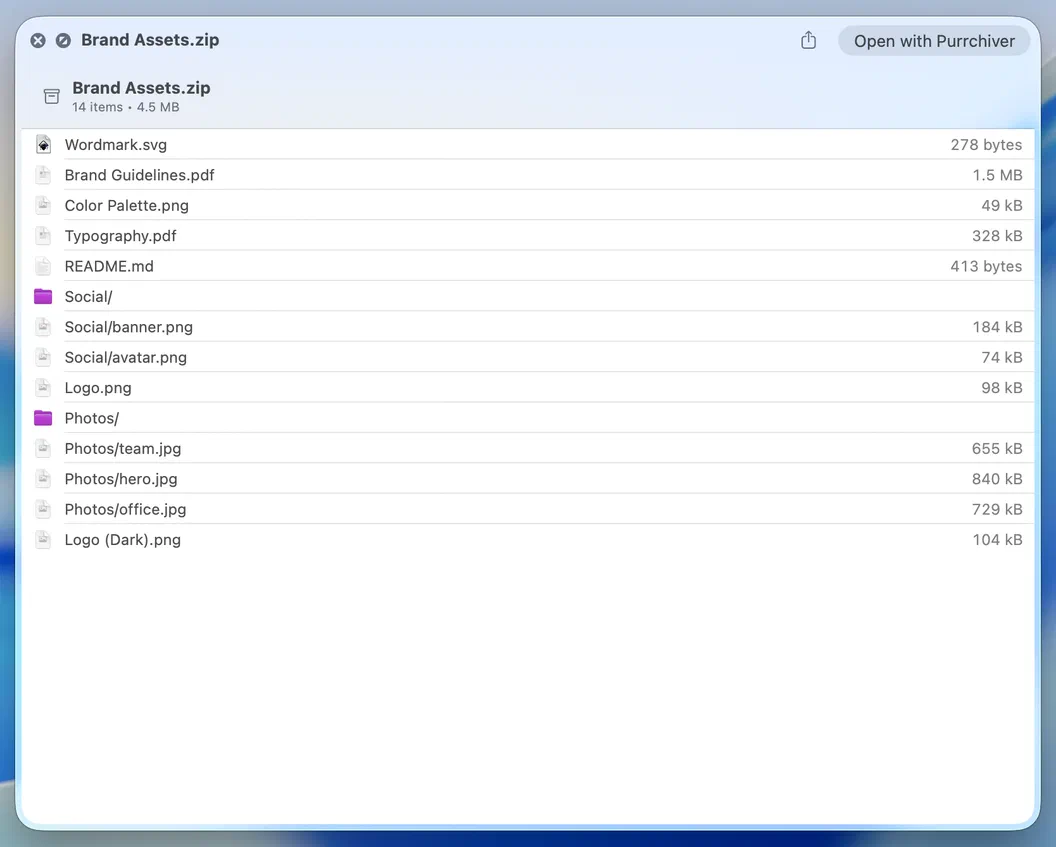
Press Space on an archive in Finder to see exactly what's inside — no app launch, no extraction. Purrchiver reads the listing straight from the archive.
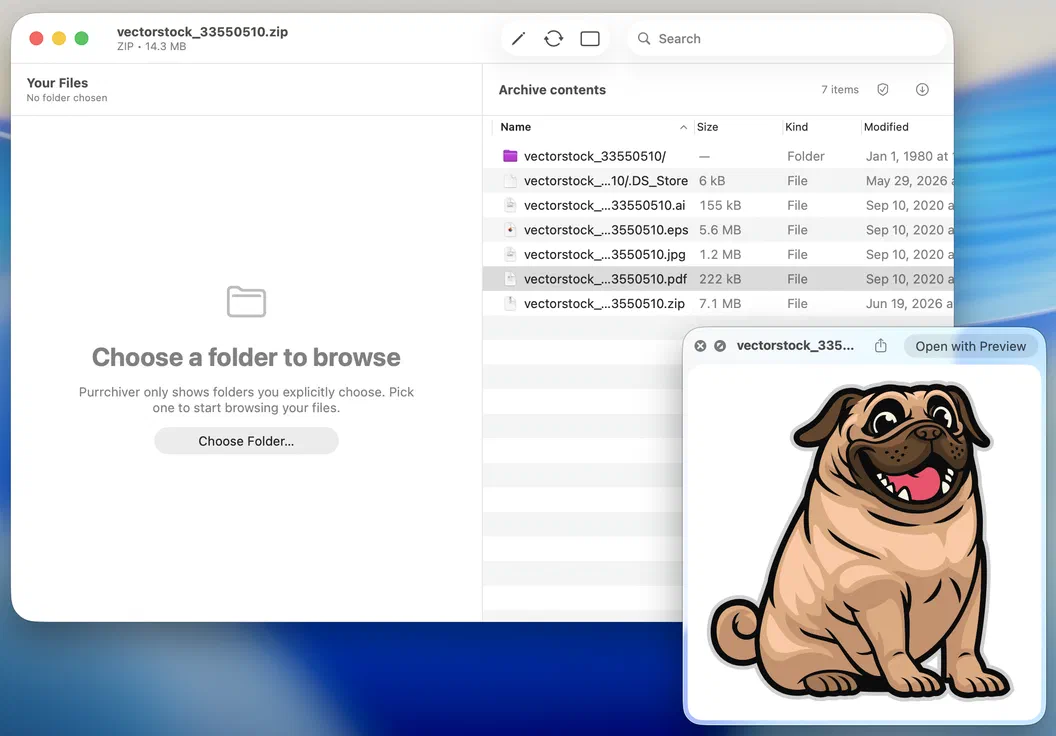
Open an archive, select a file, and press Space — it renders right there through macOS Quick Look: documents, images, PDFs, and more. Purrchiver pulls just that one item to show it; the rest of the archive stays packed.
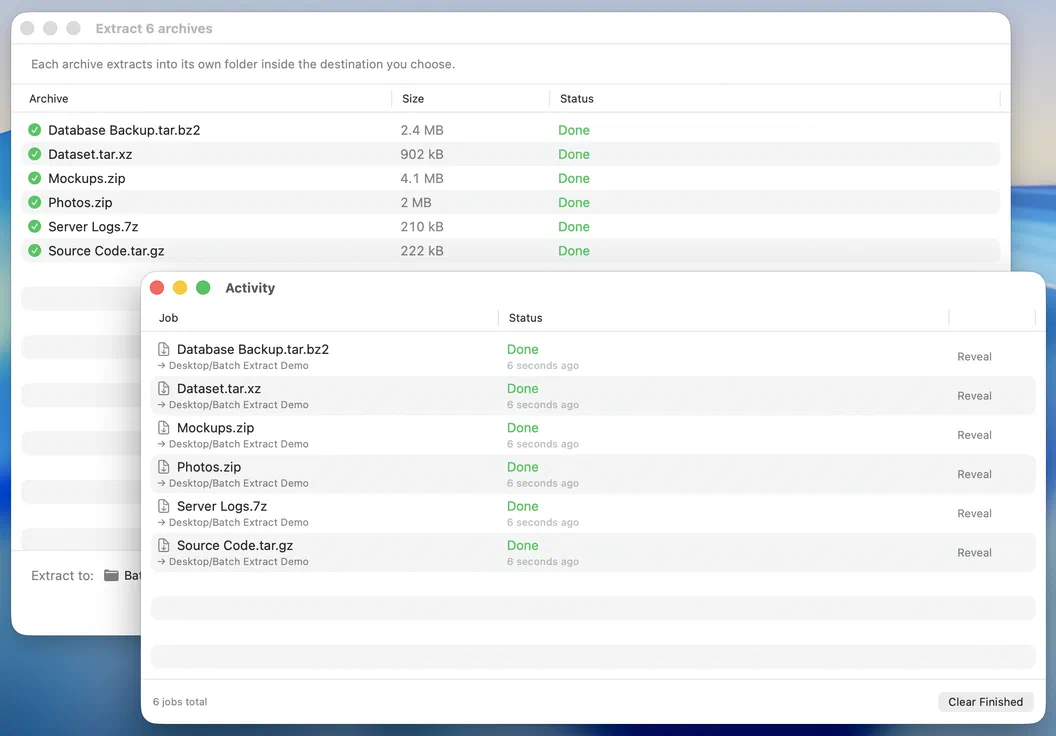
Drop a stack of archives, pick one destination, and Purrchiver works through them with per-row progress. Big jobs run fire-and-forget — keep working while the queue drains in the Activity window. No one-at-a-time babysitting.
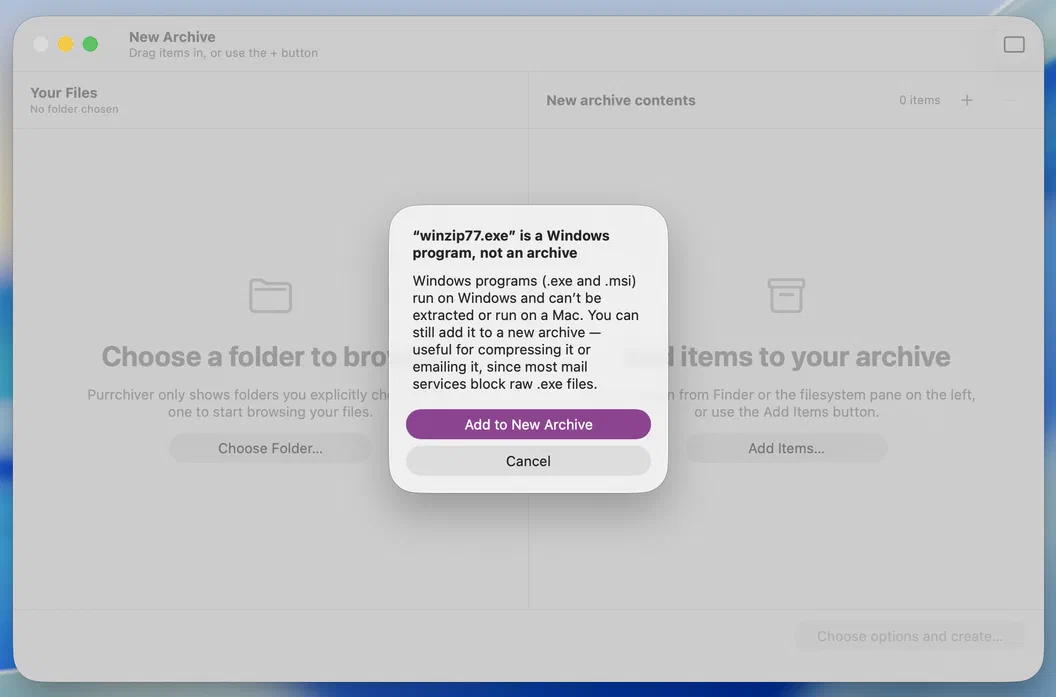
Windows installer instead of an archive? It says so. Missing a part of a split set? It names the exact volume that's gone. Wrong password? It tells you — never a blank "extraction failed."
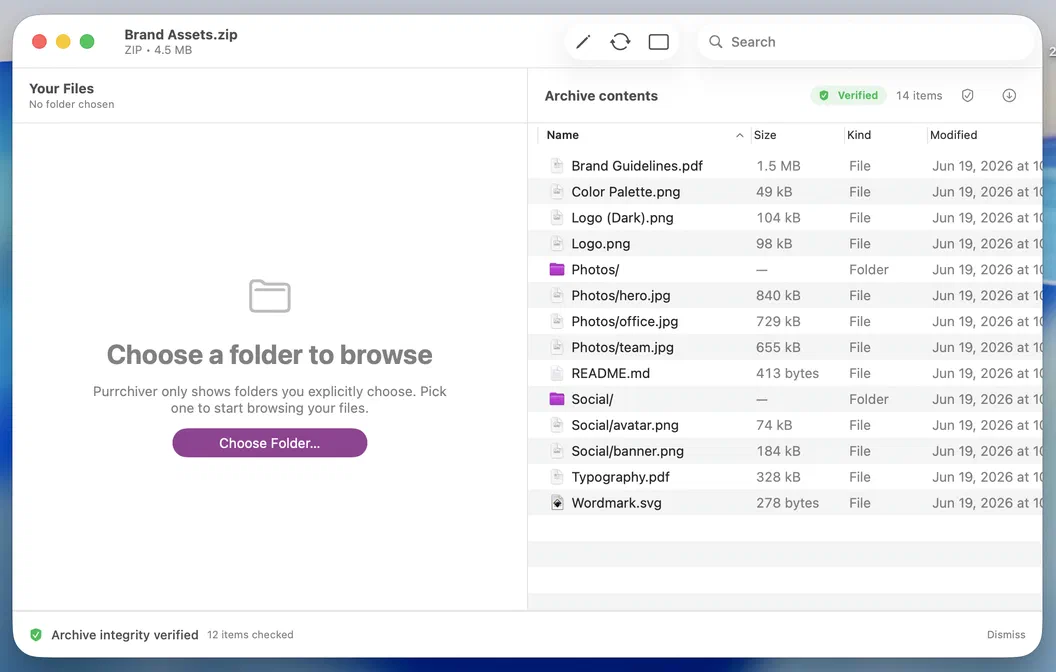
By default Purrchiver re-reads the archives it makes — always for encrypted ones, confirming the password round-trips so a typo can't lock you out, plus unencrypted archives up to 500 MB. If a check fails, the bad file is thrown away, not left on your disk. And Test Archive re-checks any archive's integrity on demand — set verification to Always or Never in settings.
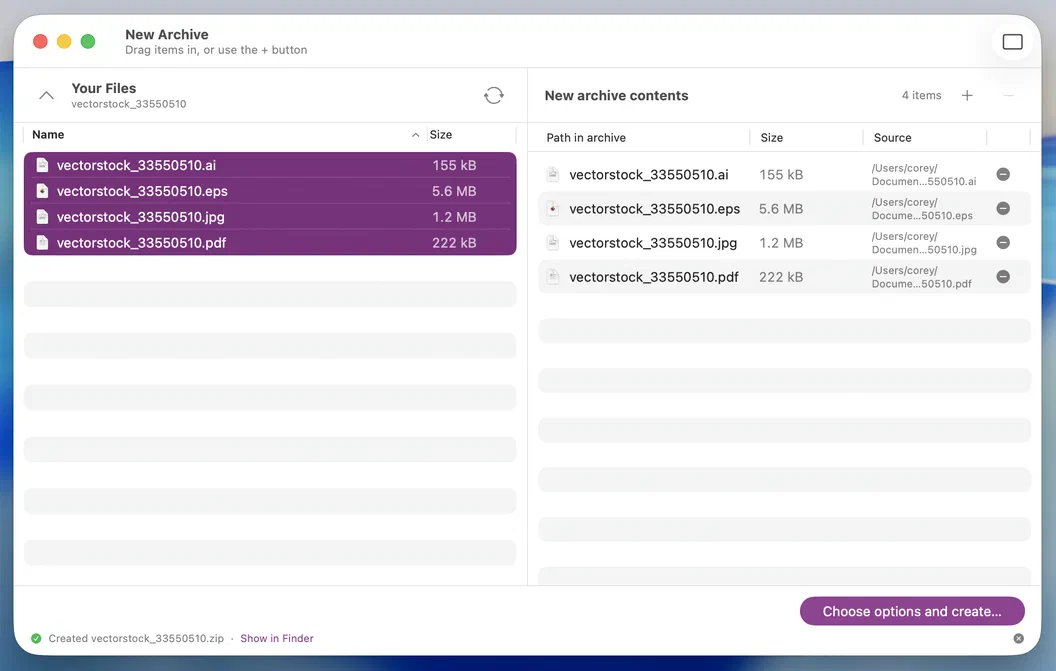
No ad. No popup. No "rate this app." When a compress finishes, a quiet inline "Created <file>" confirmation appears in the staging footer — and that's the whole event.
Composable by design
Most archivers blur these into a single "make a zip" button. Purrchiver keeps them three distinct tools you can use on their own or stack in any order — so you build exactly the file you need, with the format and the lock that fit whoever's receiving it.
Bundle many files and folders into one container — ZIP, 7z, tar, Apple Archive, ISO, CPIO, even a DMG. Or skip compression entirely (plain tar, or None) when you just want one tidy file.
Shrink it — inside an archive at the level you choose, or a single file on its own: gzip, xz, Zstandard, Brotli, and more. Trade speed for size, or don't.
Lock it — AES-256 for ZIP and 7z, Apple's AEA, an encrypted DMG, or the universal age wrap that encrypts any container or file, even ones nothing else can.
tarjust bundlereport.csv → .gzjust shrinksecret → .agejust locktar + zstd + ageall three35+ formats read, 20+ create — grouped by where you encounter them.
create create needs the one-time unlock — what's free →
| Format | Read | Create |
|---|---|---|
| ZIP | Yes | Yes |
| ZIP + AES-256 | Yes | Yes — needs the one-time unlock |
| IPA iOS app bundle — editable in place (ZIP) | Yes | No |
| APK Android app bundle — editable in place (ZIP) | Yes | No |
| JAR / WAR / EAR Java archives — read-only | Yes | No |
| ZipCrypto ZIP | Yes | No |
| RAR4 | Yes | No |
| RAR5 | Yes | No |
| Encrypted RAR | Yes | No |
| .crypto MacPaw Encrypto — decrypt + read | Yes | No |
| 7z | Yes | Yes — needs the one-time unlock |
| 7z + AES-256 | Yes | Yes — needs the one-time unlock |
| tar | Yes | Yes |
| .tar.gz | Yes | Yes |
| .tar.bz2 | Yes | Yes |
| .tar.xz | Yes | Yes — needs the one-time unlock |
| .tar.zst | Yes | Yes — needs the one-time unlock |
| .tar.lz | Yes | Yes — needs the one-time unlock |
| .tar.lz4 | Yes | Yes — needs the one-time unlock |
| .tar.br Brotli | Yes | Yes — needs the one-time unlock |
| ISO 9660 | Yes | Yes — needs the one-time unlock |
| DMG open & extract like an archive | Yes | Yes |
| DMG + AES-256 | Yes | Yes — needs the one-time unlock |
| Format | Read | Create |
|---|---|---|
| Multi-part RAR .partN.rar / .r00 | Yes | No |
| Spanned ZIP .z01 / .z02 | Yes | No |
| Split 7z .7z.001 — native | Yes | Yes — needs the one-time unlock |
| Split ZIP .zip.001 — byte-split | Yes | Yes — needs the one-time unlock |
| Split tar .tar.gz.001 … | Yes | Yes — needs the one-time unlock |
| Format | Read | Create |
|---|---|---|
| AAR Apple Archive | Yes | Yes |
| AEA Apple Encrypted Archive | Yes | Yes — needs the one-time unlock |
| age universal encryption wrap | Yes | Yes — needs the one-time unlock |
| Format | Read | Create |
|---|---|---|
| CPIO | Yes | Yes — needs the one-time unlock |
| .deb | Yes | No |
| .rpm | Yes | No |
| .a static library | Yes | No |
| .lz lzip | Yes | Yes — needs the one-time unlock |
| .lz4 | Yes | Yes — needs the one-time unlock |
| Format | Read | Create |
|---|---|---|
| LHA | Yes | No |
| LZH | Yes | No |
| CAB | Yes | No |
| WARC | Yes | No |
| .Z compress | Yes | No |
| Format | Read | Create |
|---|---|---|
| gzip | Yes | Yes |
| bzip2 | Yes | Yes |
| xz | Yes | Yes — needs the one-time unlock |
| Zstandard | Yes | Yes — needs the one-time unlock |
| Brotli | Yes | Yes — needs the one-time unlock |
| LZMA | Yes | Yes — needs the one-time unlock |
Plus, peek inside these signed Apple installer formats:
Speed
Built on a multithreaded engine. At its default settings, Purrchiver matches or beats the standard command-line tools across essentially every format it writes — without trading away compression.
up to 7×
faster tar.xz than the built-in tar — 170 MB in 8 s, not 57 s (M2 Pro).
Multithreaded
ZIP, 7z and tar.xz use every core, where the built-in tools mostly run single-threaded.
Same size
matches the standard tools' compression ratio format-for-format — the speed comes free.
Shortcuts & App Intents
A full, symmetric set of actions built on App Intents — every "make" verb has its inverse, so they chain cleanly. Wire up a folder that auto-extracts anything dropped in it, or "compress this selection and attach it to an email." They run in the Shortcuts app, by voice with Siri, and from Spotlight. No scripting. Automation is part of the one-time unlock.
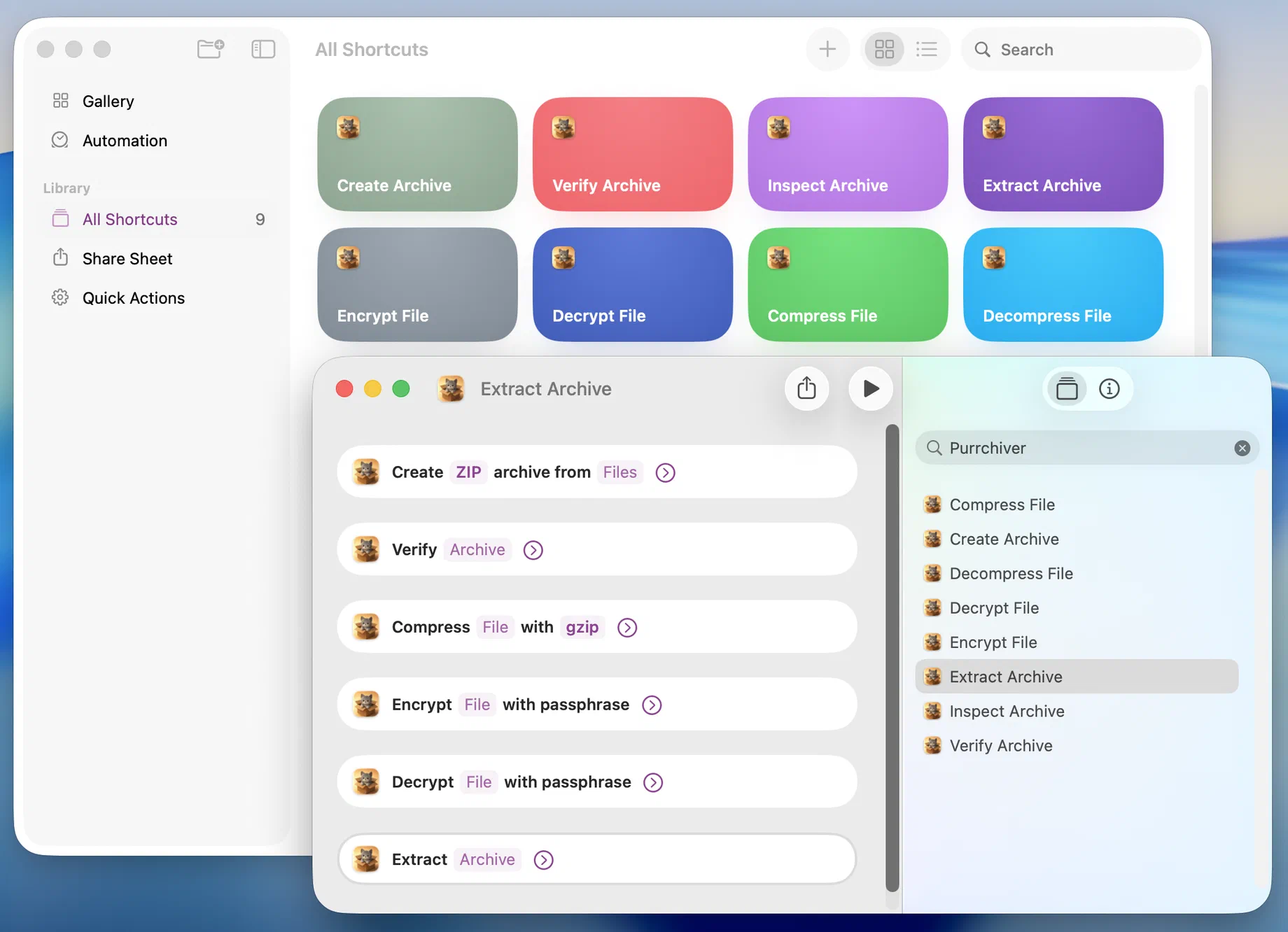
Compress files into ZIP, 7z, and more — with an optional password for AES-256 encryption.
Unpack an archive to a folder, then hand the result to the next step.
Read every entry to confirm an archive is intact — a yes/no you can branch on.
List an archive's entries and metadata without extracting anything.
Compress a single file to gzip, xz, zstd, or Brotli — no container needed.
Reverse a single-stream .gz / .xz / .zst / .br file back to the original.
Wrap any file in a passphrase-protected age envelope, ready to hand off.
Open an age-encrypted file back to the original, with the passphrase.
Security & privacy
It opens your files and gets out of the way. Nothing else.
App Sandbox is enabled. Purrchiver only sees files you explicitly grant access to — no system-wide read, no disk scanning.
No analytics pings, no update checks, no crash uploads. The app has no network entitlement — even App Store receipt validation runs at the OS level, outside the app process.
The one-time unlock is verified locally against the App Store — no Purrchiver account, no login, no network call to check it. Buying the upgrade adds zero phone-home. age encryption is offline too: a passphrase wrap, no key servers.
Encrypted archives use AES-256 — the industry-standard algorithm, not a homegrown scheme. Every encrypted archive is verified after creation by default — a typo never locks you out.
SwiftUI, App Sandbox, Apple's own frameworks for everything you can see. No Firebase, no Sentry, no Mixpanel — nothing else is along for the ride.
Generated on your Mac. Nothing is sent anywhere unless you choose to email a report to the developer — and you can read it first.
Light/dark mode, accent color, Reduce Motion, Dynamic Type, tabs-vs-windows — all inherited from your system settings. No per-app theming to fight.
Every common action has a keyboard shortcut, it's built to work with VoiceOver, and every item carries Extract and Copy actions — so you never have to drag-and-drop to get files out.

Built by Corey Daley
I'm not an app farm. I'm not a marketing team. Email goes directly to me. If something's broken, I'm the one who fixes it. If you have a feature request, I'm the one who reads it.
Free on the Mac App Store
The one-time unlock adds
One purchase. No subscription, no account, no upsells — verified locally on your Mac, so unlocking needs no network.
Free on the App Store. One-time unlock.
$9.99